
Quick findings
WebinarJack AI addresses a clear production bottleneck for affiliate and digital product promoters: turning a static offer page into a structured, voice-narrated presentation without recording your own face or voice. While the entry price is low and commercial rights are documented for the front-end tier, buyers should treat AI-generated scripts as first drafts and inspect the live checkout page for exact post-launch pricing, campaign caps, and refund windows.
| Best Suited For | Affiliate marketers, launch promoters, and solo consultants who want fast, narrated product-walkthrough webinars without on-camera filming. |
|---|---|
| Core Deliverable & Workflow | Paste a product or affiliate sales page URL; the system extracts offer points, drafts a webinar script, generates slides and AI voiceover, and hosts a simulated-live webinar room. |
| Best-Value Verified Option | Front-End base license ($14 USD dime-sale at launch) for testing core URL-to-webinar generation; FastPass ($197 USD checkout bump) only if you genuinely need Unlimited, Agency, and Whitelabel tiers. |
| Money-Back Guarantee | Not stated in the inspected JV document; live sales/checkout URLs were unreachable on November 26, 2026. Confirm the exact refund window on the Launchpad checkout receipt before paying. |
| Product Type & Access | Browser-based cloud SaaS application hosted on vendor infrastructure; no local desktop installation required. |
| Vendor / Creator | ClicksBotz (known for prior Launchpad/affiliate software releases including VidShopr AI, GigMachine AI, and Adastra Studio AI). |
| Key Capabilities | URL-to-script extraction, automated slide assembly, AI voiceover narration, hosted simulated-live replay room, and lead capture. |
| Tier & Usage Limits | Front-end includes finite campaign/usage limits (exact numeric cap not published in JV doc); OTO 1 Unlimited ($47 Lite / $67 Gold; $37 downsell) removes front-end caps. |
| Required Inputs / Integrations | A live target sales page URL, your authorized affiliate checkout link, external traffic sources, and optional autoresponder integration (specific ESP list unverified). |
| Evidence & Method | Source-verified analysis of official ClicksBotz Launchpad JV documentation, Wistia demo/VSL asset links, and public launch listings checked November 26, 2026. No unverified hands-on claims. |
| Price & Billing | $14 USD front-end dime-sale ($24 FE Special); optional OTO 1-8 ranging from $27 downsells to $297 Whitelabel, or $197 FastPass bundle. |
| Rights & Buyer Considerations | Commercial license documented on front end; Agency (100/Unlimited) and Whitelabel require OTO 6 and OTO 8. Human compliance review is essential before publishing AI scripts. |
Contents
Editorial scorecard and evaluation method
WebinarJack AI earns an editorial score of 7.4 out of 10 (3.7 out of 5.0 stars) across five weighted buyer criteria. This score reflects verified launch documentation and workflow utility while deducting for inaccessible live checkout terms, undisclosed front-end numeric usage caps, and an eight-tier upsell funnel.
| Evaluation Dimension | Weight | Earned Score | Evidence & Scoring Rationale |
|---|---|---|---|
| 1. Capability Evidence & Practical Buyer Utility | 3.0 | 2.3 / 3.0 | Clear URL-to-script, slide, voiceover, and hosted room workflow solves a real production hurdle for affiliates. Capped at 2.3 because live sales page and full Wistia playback could not be audited end-to-end. |
| 2. Usability, Workflow & Integration Convenience | 2.5 | 1.9 / 2.5 | Four-step cloud flow eliminates camera, microphone, and local video rendering overhead. Deducted 0.6 for unverified autoresponder/CRM integration specifics and mandatory manual script QA. |
| 3. Reliability, Rights & Account Safety | 2.0 | 1.4 / 2.0 | Front-end commercial rights are explicitly documented in the JV brief, and ClicksBotz has an established Launchpad release history. Privacy policy, data retention, and post-launch hosting SLAs could not be verified due to offline preview domain. |
| 4. Refund Protection & Support Value | 1.5 | 1.0 / 1.5 | Vendor provides direct Facebook support contact and standard Launchpad vendor infrastructure, but exact refund window days and exclusions were not listed in the JV doc and require live checkout verification. |
| 5. Transparency & Offer Clarity | 1.0 | 0.8 / 1.0 | Every front-end, OTO, downsell, and FastPass price is transparently itemized in the JV brief, though front-end campaign limits and post-launch dime-sale ceiling are omitted. |
| Total Editorial Score | 10.0 | 7.4 / 10 | Display Rating: 7.4 / 10 (3.7 / 5.0 stars). Editorial evaluation only; not a customer review average. |
Methodological note: This digital software rubric weighs documented functionality, commercial licensing, and funnel transparency rather than physical product testing. Absent firsthand dashboard login is never treated as proof of failure, nor does it earn unverified bonus points.
What WebinarJack AI does and how access works
Rather than requiring you to write a 30-minute presentation from scratch or host live Zoom sessions, WebinarJack AI ingests a target product URL and automates the scripting, slide creation, voice narration, and evergreen room hosting.
In affiliate marketing and digital product launches, long-form webinar presentations typically hold visitor attention longer than a direct affiliate redirect. However, building an automated webinar traditionally demands a copywriter, slide designer, voice actor, and a recurring subscription to platforms like EverWebinar or Demio. ClicksBotz designed WebinarJack AI to compress those four steps into a single browser-based dashboard aimed at affiliate marketers, digital agencies, and solo product creators.
Access is delivered entirely via cloud hosting on vendor servers—there is no desktop software to install on Windows or macOS. For deeper role-specific analysis, see our dedicated guides on using WebinarJack AI for affiliate promotions and our step-by-step setup and QA workflow.
Documented workflow and official demo status
According to the official ClicksBotz Launchpad JV documentation inspected on November 26, 2026, the platform follows a four-stage URL-to-webinar sequence from offer ingestion to hosted replay delivery.
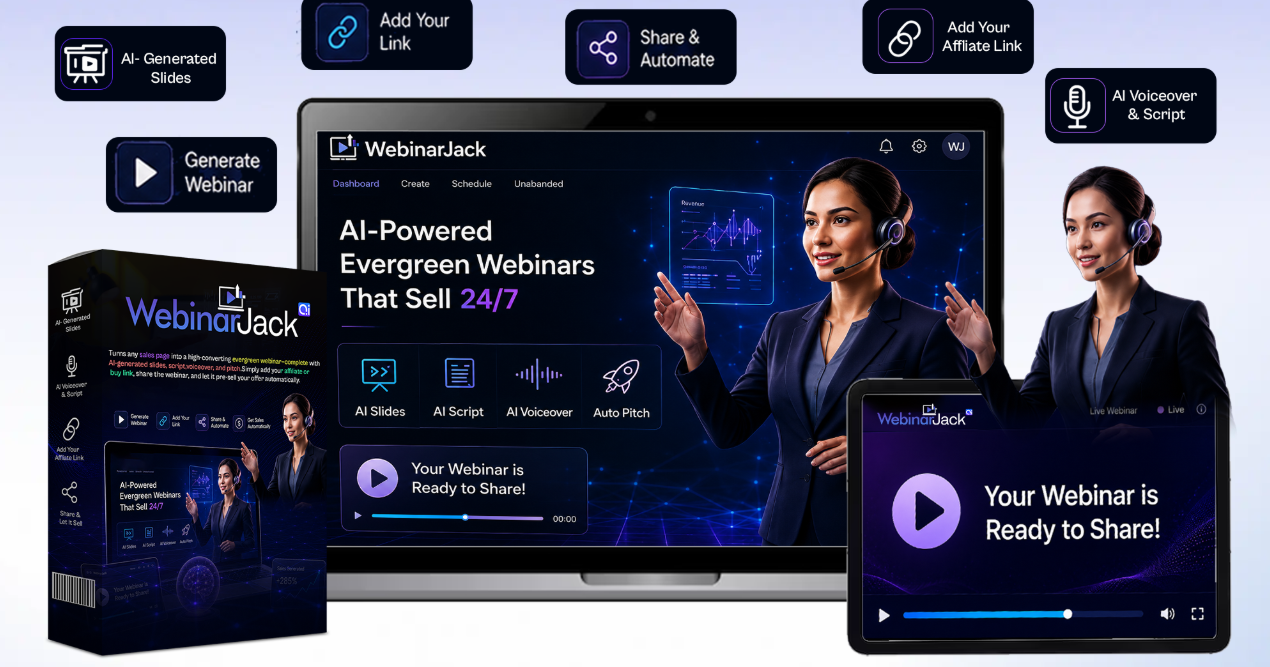
- Offer URL Ingestion: You paste the URL of an affiliate sales page or your own product landing page into the WebinarJack AI workspace.
- Automated Script, Slide & Voice Generation: The AI engine parses the destination page copy, structures a webinar pitch script, builds matching presentation slides, and synthesizes an AI voiceover track.
- Human Compliance & Link QA (Recommended): Before going live, you review the generated script for exaggerated vendor claims, check AI pronunciation of brand terms, insert your authorized affiliate link, and add required FTC affiliate disclosures.
- Hosted Auto-Webinar Publication: The platform publishes a simulated-live webinar room on vendor hosting so prospects can register, watch the scheduled or on-demand presentation, and click through to your offer link.
Official vendor demo video status
The official JV resource document lists two Wistia-hosted vendor assets: a product walkthrough video and a VSL presentation. During our November 26, 2026 inspection, direct automated video playback could not be verified inside this offline audit environment, and the preview domain (webinarjackai.live) returned a connection failure. When visiting the live offer page via the button below, watch the vendor demo directly on the page to inspect voice naturalness and slide formatting before purchasing.
Core capabilities, use cases and tier boundaries
WebinarJack AI bundles five primary functions into its core cloud workspace, though several scale and agency capabilities are gated behind optional upgrades.
- URL-to-Script Copy Extraction: Converts existing sales page headlines, bullet points, and offer structures into a spoken webinar script, saving hours of blank-page outlining for affiliate campaigns.
- Automated Slide Deck Assembly: Maps script segments onto visual presentation slides automatically so viewers see structured talking points rather than a static screen.
- AI Voiceover Synthesis: Generates spoken narration without requiring a microphone, studio setup, or third-party voice subscription.
- Simulated-Live Webinar Room Hosting: Delivers the finished presentation inside a hosted evergreen webinar environment with registration and timed call-to-action routing.
- Front-End Commercial Rights: The JV brief confirms commercial licensing on the front-end tier, permitting buyers to create and sell webinar assets to clients without immediate agency upgrades.
Important tier boundary: The JV documentation notes that OTO 1 (Unlimited Lite at $47 or Unlimited Gold at $67) is required to lift front-end campaign and usage limits, while OTO 6 (Agency 100 / Unlimited) and OTO 8 (Whitelabel) govern multi-client dashboard seats and custom branding. Because the exact front-end campaign cap is not stated in the JV brief, confirm the front-end quota on the live sales page if you plan to run high-volume campaigns.
Buyer prerequisites and practical quality-assurance checklist
Buying an automated webinar generator does not eliminate marketing fundamentals; you still need verified offer approval, compliant disclosures, and an external traffic source.
- Secure Affiliate Approval First: Ensure you hold an active affiliate link for the product URL you feed into WebinarJack AI; pasting an offer you are not approved to promote wastes build time.
- Audit AI Script Accuracy: AI extraction mirrors whatever claims appear on the target sales page. Remove unverified income promises or fabricated urgency before publishing so your webinar complies with FTC endorsement rules and ad-network policies.
- Verify Audio Pacing & Slide Sync: Listen to the full generated narration once to catch mispronounced product names or text-heavy slides.
- Prepare Traffic & Follow-Up: WebinarJack AI builds and hosts the presentation room, but organic search, email lists, social channels, or paid ads are still required to send registrants to your link.
Pricing, full upgrade funnel and realistic total-cost math
WebinarJack AI uses a low-ticket Launchpad front-end entry ($14 USD dime-sale) followed by eight optional One-Time Offers (OTOs), downsells, and a $197 FastPass bundle bump.
Every upgrade in the ClicksBotz funnel is optional—you do not need to buy OTO 1 through OTO 8 to use the core URL-to-webinar builder. However, understanding the complete funnel prevents surprise checkout decisions:
| Funnel Stage | Offer Name | Standard Price | Downsell Price | Documented Scope & Buyer Necessity |
|---|---|---|---|---|
| Front-End (FE) | WebinarJack AI (Base) | $14 (dime-sale) | N/A ($3 off early coupon: WEBEARLY) | Mandatory minimum purchase. Core URL-to-webinar builder, script, slides, AI voiceover, hosting, and commercial license. |
| Front-End Special | WebinarJack AI Special | $24 | N/A | Enhanced front-end launch tier offered alongside base FE. |
| Checkout Bump | WebinarJack AI FastPass | $197 | N/A | Optional all-in-one bundle on FE checkout unlocking OTO 1 through OTO 8 in a single payment. |
| OTO 1 | Unlimited Lite / Gold | $47 / $67 | $37 (Unlimited DS) | Optional. Removes front-end campaign and generation caps. |
| OTO 2 | WebinarJack AI DFY | $97 | $67 (DFY DS) | Optional. Pre-built done-for-you webinar campaigns and templates. |
| OTO 3 | WebinarJack AI Automation | $47 | $37 (Automation DS) | Optional. Automated scheduling and campaign trigger workflows. |
| OTO 4 | Traffic Lite / Gold | $47 / $67 | $37 (Traffic DS) | Optional. Vendor traffic modules; external traffic still recommended. |
| OTO 5 | IncomeStream | $37 | $27 (IncomeStream DS) | Optional. Additional affiliate monetization configurations. |
| OTO 6 | Agency 100 / Unlimited | $97 / $147 | $67 (Agency DS) | Optional. Dedicated client sub-accounts (100 or unlimited) for agency billing. |
| OTO 7 | Franchise Lite / Gold | $97 / $147 | $87 (Franchise DS) | Optional. Reseller/franchise rights to sell WebinarJack AI licenses. |
| OTO 8 | Whitelabel | $297 | $247 (Whitelabel DS) | Optional. Full custom domain and brand re-skinning rights. |
Realistic total-cost calculation: Buying the $14 FE plus every top-tier OTO individually totals $830 USD ($634 USD using every downsell). By contrast, selecting the $14 FE plus the $197 FastPass checkout bump totals $211 USD—saving $619 USD compared to peak individual OTO pricing if you want agency and whitelabel rights. For solo affiliates testing the tool, the $14-$24 front-end (or $51-$61 with OTO 1 Unlimited Downsell) is the most proportionate outlay. Third-party costs depend on your existing stack: you do not need separate webinar hosting or AI voice APIs, though an external domain, email autoresponder, or paid traffic budget remains separate.
Starter Path: Front-End ($14-$24 USD)
One-time launch pricing (dime-sale). Includes URL-to-script, automated slides, AI voiceover, hosted webinar room, and commercial license. Best for solo affiliates testing 1-few campaigns.
Scale Path: FE + OTO 1 Unlimited ($51-$81 USD)
One-time combined total ($14-$24 FE + $37 DS or $47-$67 OTO 1). Removes front-end campaign caps for marketers running frequent product launches.
All-In Path: FE + FastPass ($211 USD)
One-time bundle total ($14 FE + $197 FastPass bump). Unlocks OTO 1-8 including DFY, Agency Unlimited, Franchise, and Whitelabel rights without recurring fees.
Verified coupon code and vendor bonus status
The official ClicksBotz JV document specifies one launch coupon code—WEBEARLY for $3 off during the early-bird window—while specific buyer bonus titles are not enumerated in the JV brief.
- Coupon Code (
WEBEARLY): Documented in the JV launch snapshot for $3 off the front-end price during the early launch window (original launch window listed as August 15-19, 2026). Because our check date is November 26, 2026, treatWEBEARLYas potentially expired and verify on the live Launchpad checkout form whether it still applies. - Vendor & Affiliate Bonuses: The inspected JV document does not list bundled front-end buyer bonuses by name or format. Do not rely on unverified bonus claims; check the live sales page footer for any active launch bonuses before completing checkout.
Strengths and buyer considerations
WebinarJack AI offers notable speed and cost advantages over recurring webinar suites, balanced against typical launch-software trade-offs.
Supported Strengths
- Rapid URL-to-Webinar Pipeline: Automates offer parsing, scriptwriting, slide creation, and voiceover in one cloud flow rather than four separate tools.
- Low One-Time Entry Price: Launches at $14 USD (dime-sale) with hosted webinar rooms included, avoiding $99+/month recurring webinar platform fees.
- Commercial Rights on Front End: Permits client webinar creation on the base license without forcing an immediate Agency upgrade.
- Transparent Funnel & FastPass Option: All eight OTOs, downsells, and the $197 FastPass ceiling are documented upfront.
- Established Launchpad Vendor: Released by ClicksBotz, creator of prior affiliate tools including VidShopr AI, GigMachine AI, and Adastra Studio AI.
Considerations & Trade-Offs
- Eight-Step Upsell Funnel: Full unlimited, agency, and whitelabel capabilities sit behind OTO 1-8 ($27-$297 each) or the $197 FastPass bump.
- Inaccessible Live Preview & Refund Terms on Check Date: The preview URL (
webinarjackai.live) was unreachable on November 26, 2026, leaving exact FE campaign quotas and refund days unverified until checkout. - Mandatory Human Compliance QA: Raw AI scripts scraped from vendor pages can repeat aggressive claims or mispronounce terms if published unedited.
Technical boundaries, licensing and privacy
Buyers must distinguish between front-end commercial rights and multi-tenant agency/whitelabel permissions, and account for vendor-hosted data storage.
Commercial, Agency and Whitelabel Licensing
According to the ClicksBotz JV brief, the base front-end license includes a Commercial License, allowing you to produce and sell automated webinar presentations as a service to clients. However, provisioning separate client login seats (100 or unlimited sub-accounts) requires OTO 6 (Agency), reselling WebinarJack AI itself requires OTO 7 (Franchise), and rebranding the software under your own domain/logo requires OTO 8 (Whitelabel). PLR (Private Label Rights) to the underlying source code are not offered.
Data Storage, Hosting Reliance and FTC Compliance
Because WebinarJack AI hosts your webinar rooms, registration pages, and lead capture on ClicksBotz cloud infrastructure, long-term availability depends on the vendor maintaining those servers. Export captured registrant leads regularly to your own CRM or email service provider rather than storing them solely inside the app. Additionally, when promoting affiliate offers via simulated-live webinars, US FTC guidelines require clear disclosure of your affiliate relationship and accurate representation that the broadcast is pre-recorded rather than a live Q&A session.
How WebinarJack AI compares to alternatives
Choosing between WebinarJack AI, recurring evergreen webinar platforms, and manual AI tool stacks comes down to budget, customization control, and hosting longevity. See our full WebinarJack AI alternatives comparison for deeper decision criteria.
| Option | Cost Basis | Core Workflow | Key Strengths | Primary Trade-Off |
|---|---|---|---|---|
| WebinarJack AI (ClicksBotz) | $14-$24 FE one-time (+ optional OTOs / $197 FastPass) | Paste sales URL → AI script, slides, voiceover & hosted room | Fastest single-tool automation; zero monthly hosting fee | Vendor-hosted lock-in; FE usage caps unless upgraded |
| EverWebinar (Genesis Digital) | Recurring subscription (typically billed annually/biennially) | Upload pre-recorded video → automated scheduling, chat & polls | Mature enterprise reliability, split-testing, and deep ESP integrations | Does not write scripts, build slides, or generate voiceovers; ongoing fee |
| eWebinar | Recurring monthly/annual SaaS tiers | Upload video → interactive evergreen webinar with live-chat handoff | Modern interface, strong engagement widgets, and CRM webhooks | Higher recurring cost; requires you to produce the video externally |
| Manual Stack (ChatGPT/Claude + Canva + ElevenLabs + YouTube/WordPress) | $0-$40/mo modular usage | Draft script in LLM → design slides → generate voice → embed unlisted video | Full asset ownership, custom branding, and zero vendor lock-in | Takes 2-4 hours per webinar instead of minutes; no simulated-live room |
Who should buy WebinarJack AI—and who should skip it
WebinarJack AI is built for speed-focused affiliate marketers and solo consultants, not enterprise SaaS teams running complex live Q&A funnels.
- Strong Fit: Affiliate marketers launching bridge-page promotions on ClickBank, JVZoo, WarriorPlus, or Launchpad who want a narrated presentation without recording audio or paying monthly webinar fees.
- Strong Fit: Freelancers using the front-end commercial license to build quick product-overview videos or evergreen pitch rooms for local or digital clients.
- Poor Fit (Skip): Established brands needing strict SOC-2 compliance, deep Salesforce/HubSpot CRM branching, or guaranteed multi-year enterprise SLAs—use EverWebinar or eWebinar instead.
- Poor Fit (Skip): Marketers unwilling to edit AI-generated scripts before publishing, as raw URL-scraped copy can introduce compliance risks.
Vendor legitimacy, purchase channels and user feedback
WebinarJack AI is an authentic software release from ClicksBotz distributed through the Launchpad marketplace, though verified third-party buyer reviews remain limited post-launch.
Authorized Purchase Channels vs. Unverified Downloads
The sole authorized purchase channel documented in the official JV brief is the Launchpad checkout linked from the vendor's official sales page (webinarjackai.live/live). Avoid third-party "nulled," "cracked," or unauthorized group-buy download sites: cloud-hosted SaaS applications like WebinarJack AI require server-side account provisioning, so pirated downloads cannot activate hosted webinar rooms and frequently bundle browser-hijacking malware.
Attributable Customer Feedback Status
As of November 26, 2026, independent post-launch customer reviews on public software directories (such as G2, Capterra, or Trustpilot) were not found in verifiable public records, and the vendor's preview sales page was offline during inspection. Because we never fabricate customer testimonials or average star ratings, buyers should rely on the Launchpad checkout guarantee and inspect the live vendor demo before committing to upgrades.
Refund protection and vendor support
The ClicksBotz JV document lists direct vendor support via Facebook, while exact refund window terms must be confirmed on the live Launchpad checkout page.
- Refund Window & Verification: The inspected JV brief does not state whether WebinarJack AI carries a 14-day or 30-day money-back guarantee, nor does it list usage exclusions. Before completing payment on Launchpad, read the guarantee badge and refund terms displayed directly on the order form and save your Launchpad receipt email.
- Support Channels: Vendor support is attributed to ClicksBotz with direct outreach listed via their official Facebook profile (
facebook.com/clicks.botz) and Launchpad buyer receipt support portal. Note that a refund policy protects your purchase window but is not proof of product performance or affiliate earnings.
Final verdict
WebinarJack AI delivers a practical, low-cost shortcut for turning a sales page URL into a scripted, voice-narrated, hosted evergreen webinar at a $14 USD launch entry point. If you are an affiliate marketer or solo consultant willing to spend 15 minutes reviewing AI scripts for accuracy and compliance, the front-end commercial license offers strong utility without recurring SaaS overhead—just confirm the live checkout refund window and campaign caps before adding optional OTOs.
Choose Your WebinarJack AI AccessFrequently asked questions
What is WebinarJack AI and who created it?
WebinarJack AI is a cloud-based automated webinar builder created by ClicksBotz and launched on the Launchpad platform. It extracts copy from a pasted sales page URL to generate a webinar script, slide deck, AI voiceover, and hosted simulated-live replay room.
How much does WebinarJack AI cost in 2026?
Documented Launchpad launch pricing starts at $14 USD (dime-sale) for the front-end license and $24 USD for the Front-End Special. Eight optional OTO upgrades range from $27 downsells to $297 for Whitelabel, or $197 USD for the all-in-one FastPass bundle.
Do I have to buy the OTO upgrades or FastPass for WebinarJack AI to work?
No. The front-end license ($14-$24 USD) includes the core URL-to-webinar generator, AI voiceover, hosted webinar room, and commercial rights. OTO 1 Unlimited ($37 downsell / $47-$67 standard) is only needed if you hit front-end campaign limits.
Does WebinarJack AI charge a monthly subscription fee?
The Launchpad JV schedule lists one-time pricing for the front end, all eight OTOs, and the $197 FastPass bundle, with no monthly subscription noted. Confirm on the live checkout page that no recurring hosting fee applies after the launch window.
Does WebinarJack AI include a commercial license on the front end?
Yes. The official ClicksBotz JV document confirms that a commercial license is included on the front-end tier, allowing you to create and sell webinars to clients. Multi-client sub-accounts require OTO 6 (Agency) and custom branding requires OTO 8 (Whitelabel).
Is the WEBEARLY coupon code still active?
The JV brief lists coupon code WEBEARLY for $3 off during the early launch window (originally August 15-19, 2026). Because launch coupons often expire after cart close, test WEBEARLY on the live Launchpad checkout form before paying.
Do I need to appear on camera or record my own voice?
No. WebinarJack AI is designed specifically for faceless presentations by generating presentation slides and a synthetic AI voiceover directly from the target sales page copy.
What is the refund policy for WebinarJack AI?
The official JV invite document did not specify the exact money-back guarantee window, and the preview sales URL was offline during our November 26, 2026 inspection. Verify the exact refund period and terms on the live Launchpad checkout page before ordering.
Related WebinarJack AI guides
WebinarJack AI for Affiliate Marketers
Evaluates bridge-page webinar fit, front-end vs. OTO 1 tier requirements, traffic dependencies, and FTC affiliate disclosure rules.
How to Use WebinarJack AI: Setup & QA Workflow
Step-by-step preparation guide covering URL selection, AI script editing, voice/slide QA, and link verification before launch.
WebinarJack AI Alternatives & Comparison
Compares WebinarJack AI against EverWebinar, eWebinar, and a manual AI stack across pricing, automation, and hosting control.
Author, method and references
- ClicksBotz Official Launchpad JV & Affiliate Partnership Document for WebinarJack AI (inspected November 26, 2026).
- Launchpad JV Offer Listing #451 — WebinarJack AI Launch Schedule & Funnel Specification (inspected November 26, 2026).
- Wistia Vendor Asset Manifest — WebinarJack AI Demo & VSL Video Endpoints referenced in official JV brief (inspected November 26, 2026).
- U.S. Federal Trade Commission (FTC) Guides Concerning the Use of Endorsements and Testimonials in Advertising (16 CFR Part 255) — affiliate and simulated-live disclosure compliance reference.
Affiliate Disclosure: Sasi Digital is an independent editorial publication. If you click a commercial link on this page and purchase WebinarJack AI, we may receive an affiliate commission at no extra cost to you.
No-Earnings Disclaimer: Automated webinar software streamlines presentation creation, but traffic generation, conversion rates, and affiliate commissions depend on your offer selection, audience quality, and marketing execution. No income or conversion results are guaranteed.